> ## Documentation Index
> Fetch the complete documentation index at: https://help.raindrop.io/llms.txt
> Use this file to discover all available pages before exploring further.
# Duplicates
> Find and remove duplicate bookmarks from your library
Over time it's easy to bookmark the same page more than once. Raindrop.io can detect duplicate bookmarks and show them in a single list, so you can clean up your library in seconds.
Duplicate detection is a [premium feature](/premium-features).
## Finding duplicates
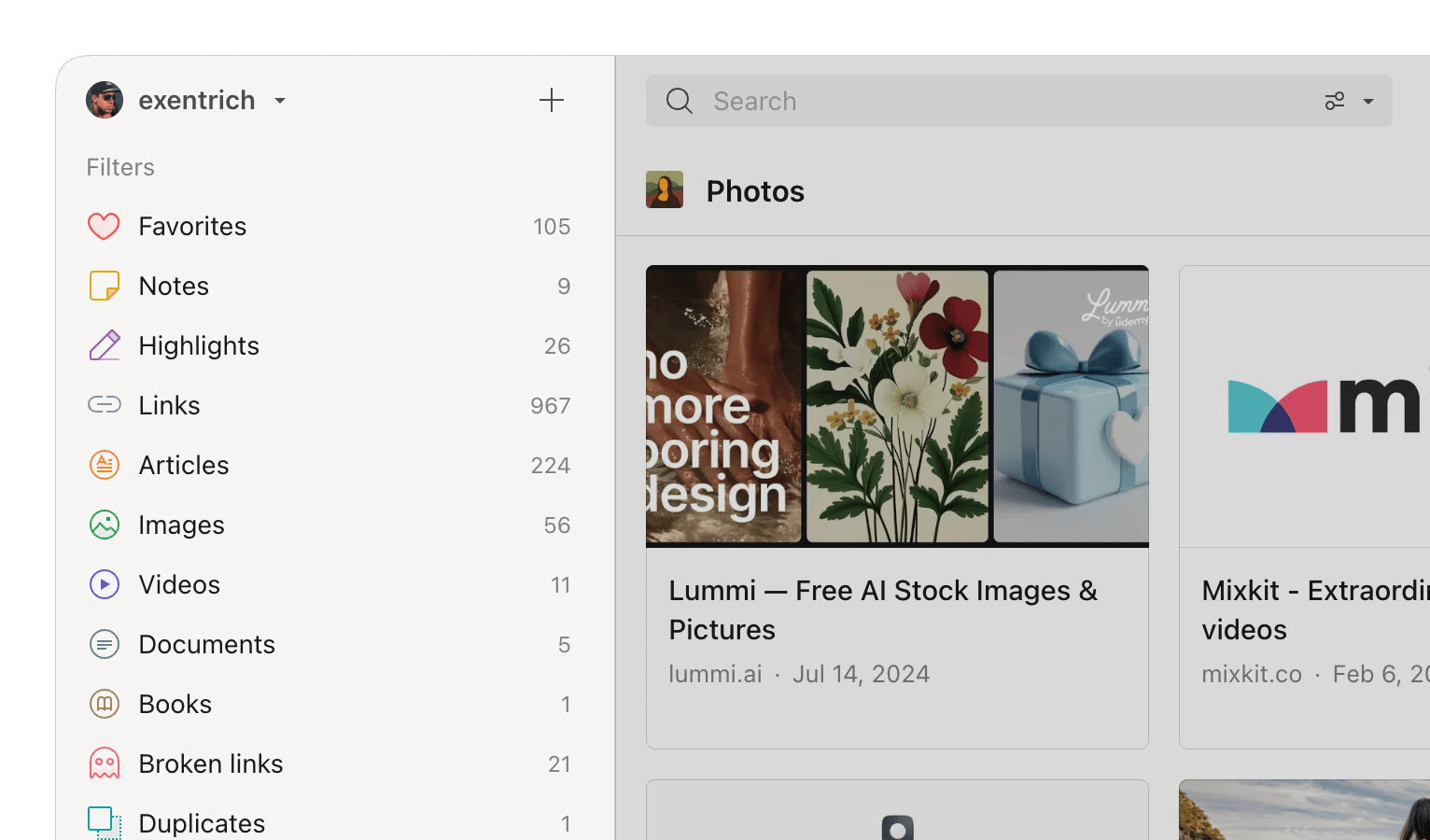
Click the **Duplicates** filter in sidebar
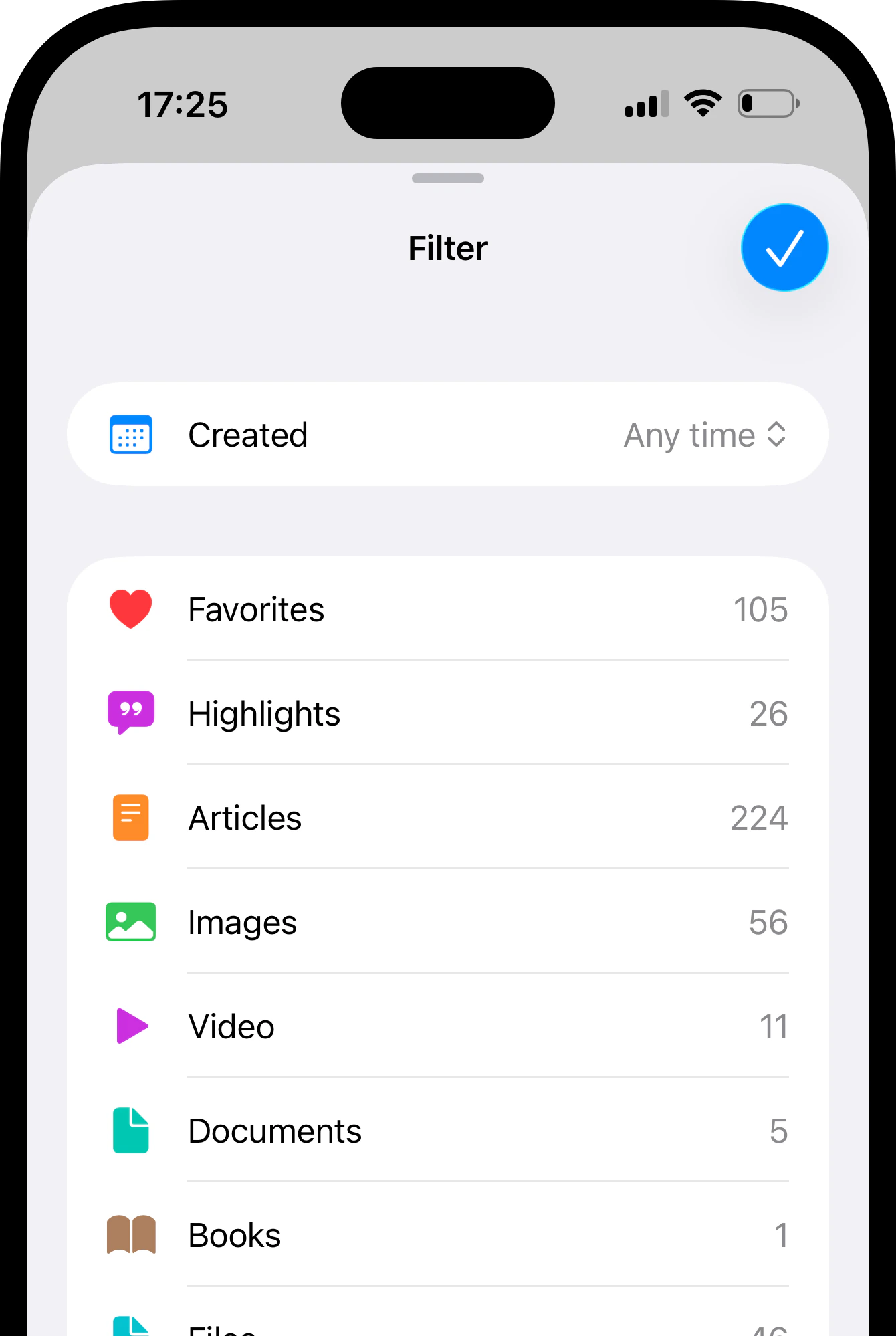
 Tap in top right corner and then **Filter**.
Select the **Duplicates** filter from the suggestions list.
Tap in top right corner and then **Filter**.
Select the **Duplicates** filter from the suggestions list.
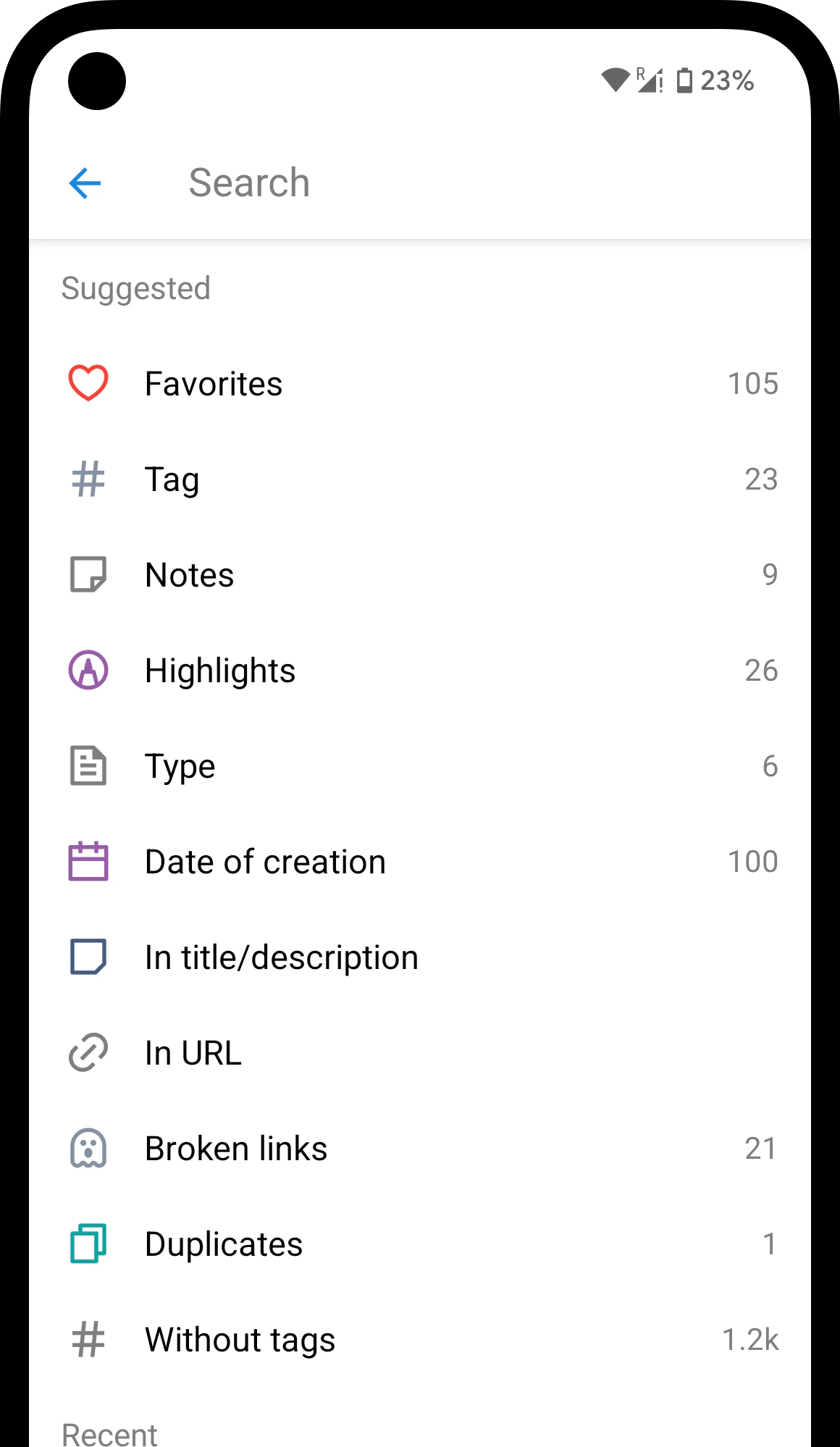
 Tap on the search field.
Select the **Duplicates** filter from the suggestions list.
Tap on the search field.
Select the **Duplicates** filter from the suggestions list.
 The results show **only** duplicate copies — originals are not included. This means you can safely remove everything in the list without losing any bookmark.
## Removing duplicates
Find duplicates using the steps above.
Hover over each item and click the checkbox that appears, or use **Select all**.
Click **Delete** in the toolbar at the top.
Find duplicates using the steps above.
Tap the **Select** button in the top right corner to start selection mode.
Select as many bookmarks as you want.
Tap **Actions** → **Delete**.
The results show **only** duplicate copies — originals are not included. This means you can safely remove everything in the list without losing any bookmark.
## Removing duplicates
Find duplicates using the steps above.
Hover over each item and click the checkbox that appears, or use **Select all**.
Click **Delete** in the toolbar at the top.
Find duplicates using the steps above.
Tap the **Select** button in the top right corner to start selection mode.
Select as many bookmarks as you want.
Tap **Actions** → **Delete**.
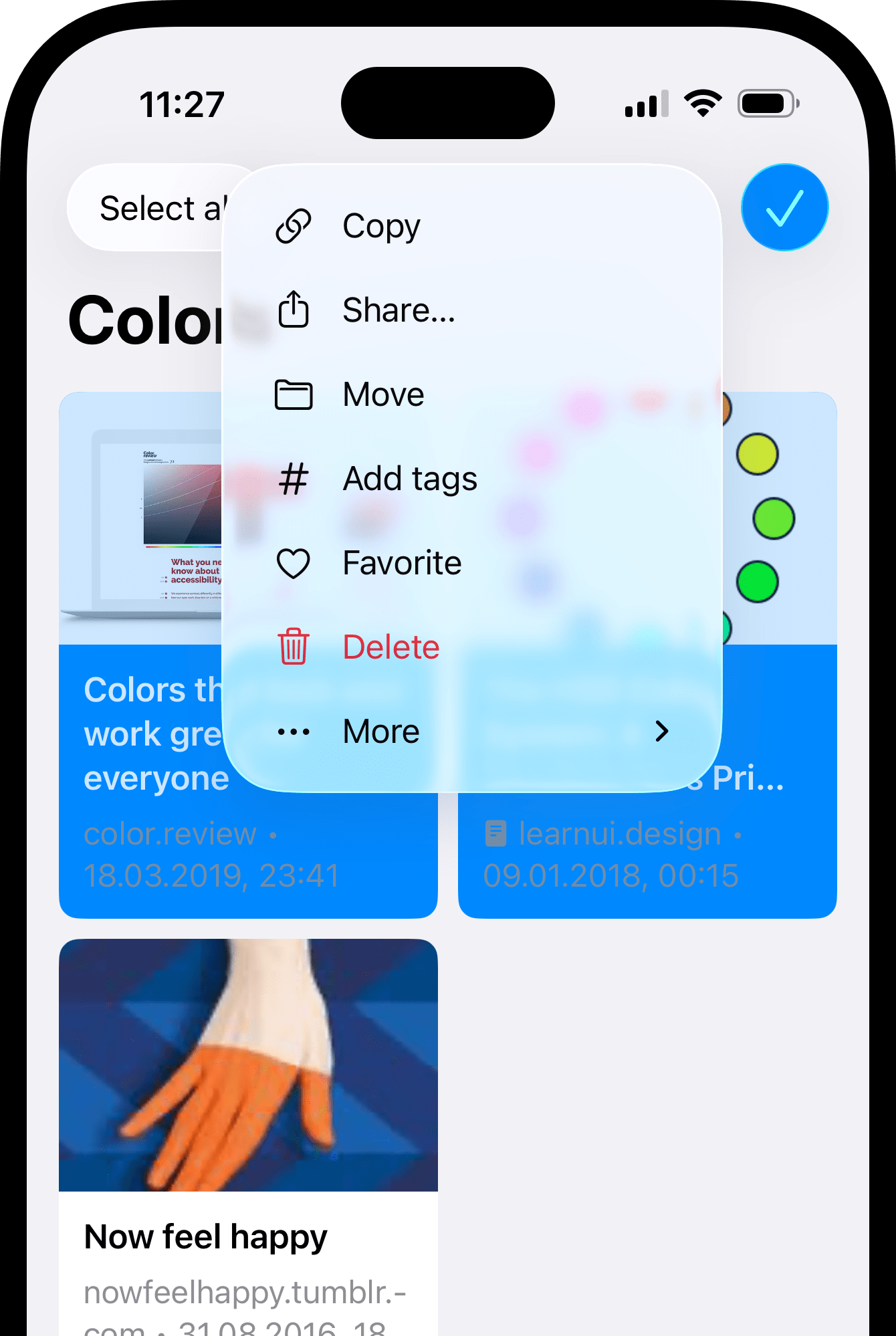 Find duplicates using the steps above.
Tap and hold an item to select it, or use **Select all**.
Tap **Delete** in the toolbar at the top.
## How detection works
A bookmark counts as a duplicate only when its URL matches another saved bookmark exactly.
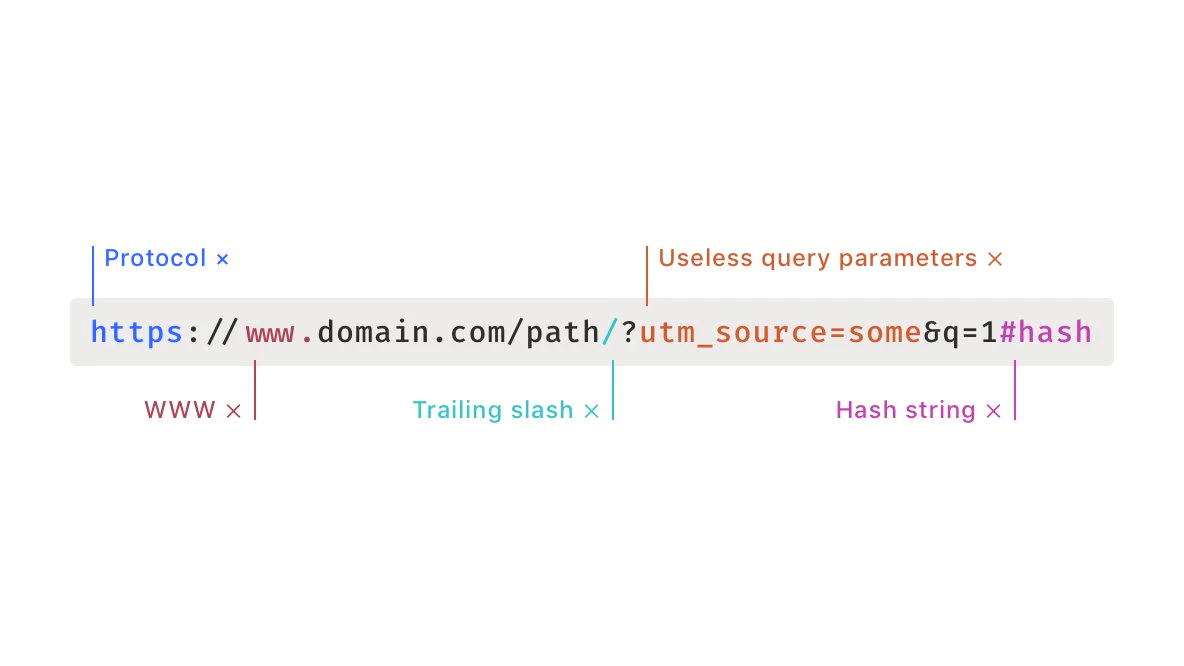
Before comparing, Raindrop.io strips away differences that don't affect the actual page: protocol (`http` vs `https`), `www` prefix, trailing slashes, tracking query parameters (like referral or ad source IDs), and hash fragments.
Find duplicates using the steps above.
Tap and hold an item to select it, or use **Select all**.
Tap **Delete** in the toolbar at the top.
## How detection works
A bookmark counts as a duplicate only when its URL matches another saved bookmark exactly.
Before comparing, Raindrop.io strips away differences that don't affect the actual page: protocol (`http` vs `https`), `www` prefix, trailing slashes, tracking query parameters (like referral or ad source IDs), and hash fragments.
 ## FAQ
Yes. Open **All bookmarks** and apply the Duplicates filter — it scans your entire library.
No. The duplicate list only contains extra copies. Originals stay in place.
## Related
Narrow down bookmarks by type, tag, date, and more
Find bookmarks that point to pages that no longer exist
## FAQ
Yes. Open **All bookmarks** and apply the Duplicates filter — it scans your entire library.
No. The duplicate list only contains extra copies. Originals stay in place.
## Related
Narrow down bookmarks by type, tag, date, and more
Find bookmarks that point to pages that no longer exist