> ## Documentation Index
> Fetch the complete documentation index at: https://help.raindrop.io/llms.txt
> Use this file to discover all available pages before exploring further.
# Search
> By keyword, content, or meaning
Search for [bookmarks](/bookmarks), [collections](/collections), [tags](/tags), [highlights](/highlights), and annotations — all from one search field.
## How to search
Click the search field at the top of the page and start typing.
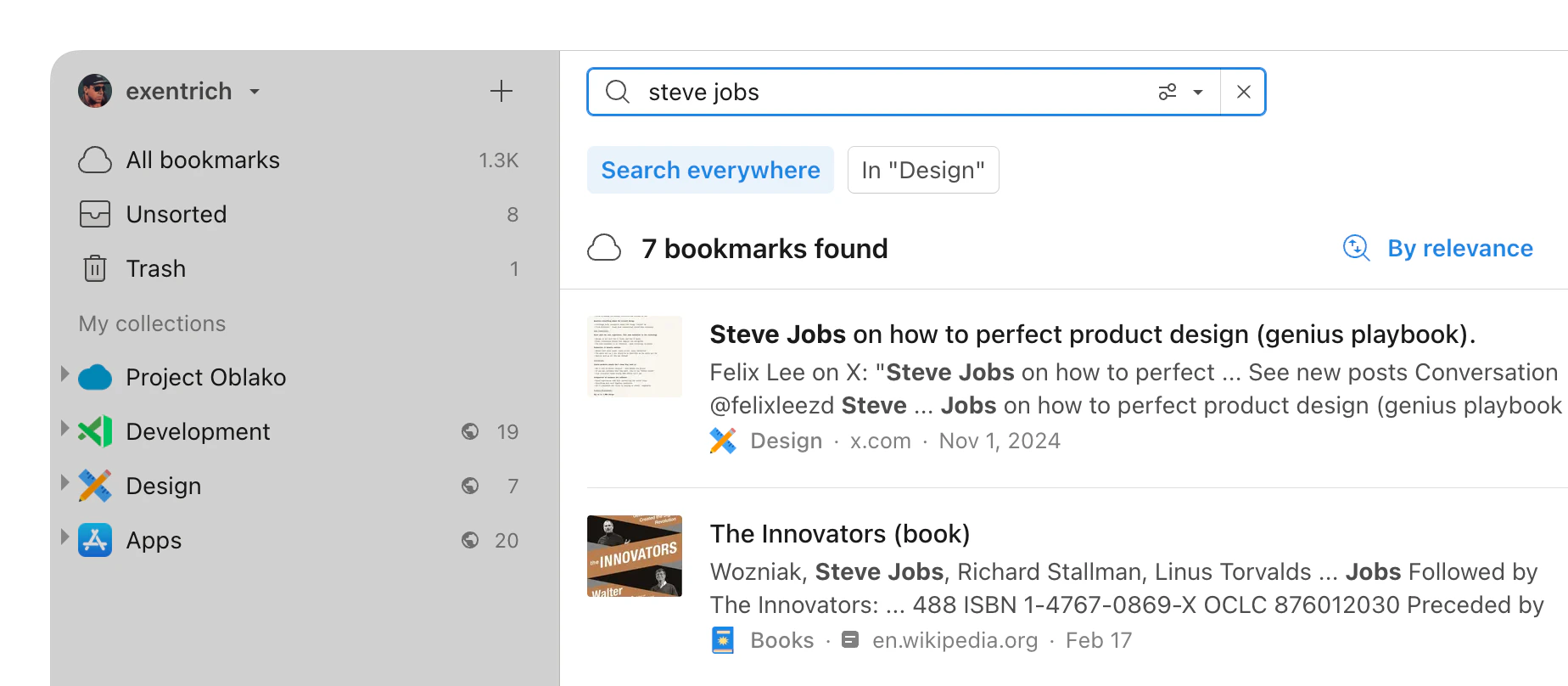 **Pro tip**: To search within a specific collection, open it first, then click the search field and select **In current collection** from the dropdown.
Tap the search field at the top of the screen and type your query.
**Pro tip**: To search within a specific collection, open it first, then click the search field and select **In current collection** from the dropdown.
Tap the search field at the top of the screen and type your query.
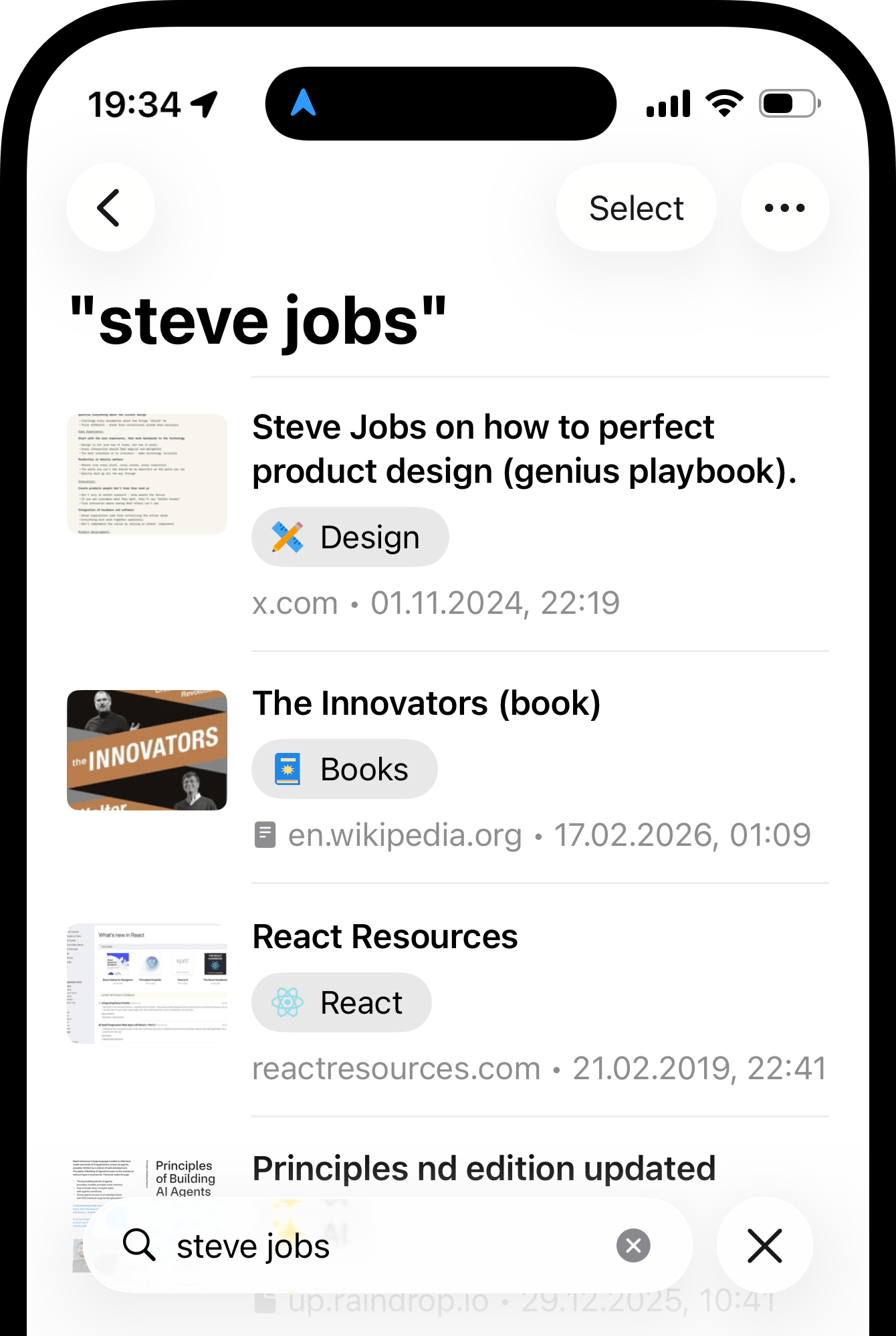 **Pro tip**: To search within a specific collection, open it first, then tap the search field.
Tap the button at the top of the screen and type your query.
**Pro tip**: To search within a specific collection, open it first, then tap the search field.
Tap the button at the top of the screen and type your query.
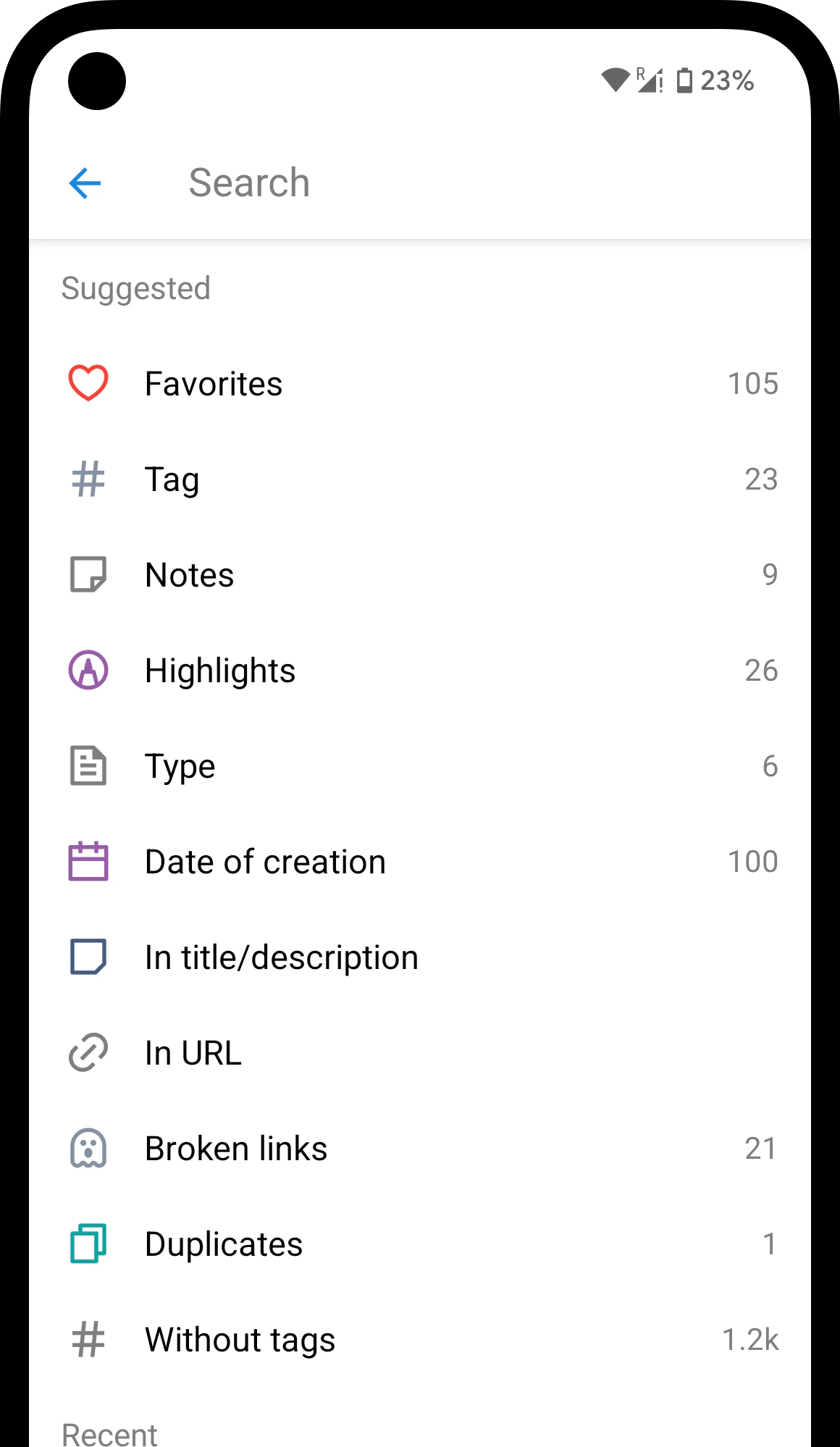 **Pro tip**: To search within a specific collection, open it first, then tap the search field.
Results are grouped by type so you can jump to the right one.
For bookmarks, results match against title, description, URL, tags, and notes.
Need to narrow things down? Use [filters](/filters) to refine your results by attributes, date, and more.
## Searching inside content
Search doesn't stop at titles, tags, and notes — it also looks inside the content you saved. Type a phrase you remember reading, and you'll find the bookmark even if those words never appear in the title.
* **Saved web pages** — the full text of the [web archive](/web-archive) copy
* **PDF & EPUB files** — every page of the document
* **YouTube videos** — spoken words from the video transcript
Searching inside web pages, PDF and EPUB files, and YouTube transcripts requires a [Pro plan](/premium-features).
## Matching by meaning
You don't need the exact words. Search also matches by meaning, so a query like `morning routine` can surface a bookmark titled `how I start my day` — even with no shared words.
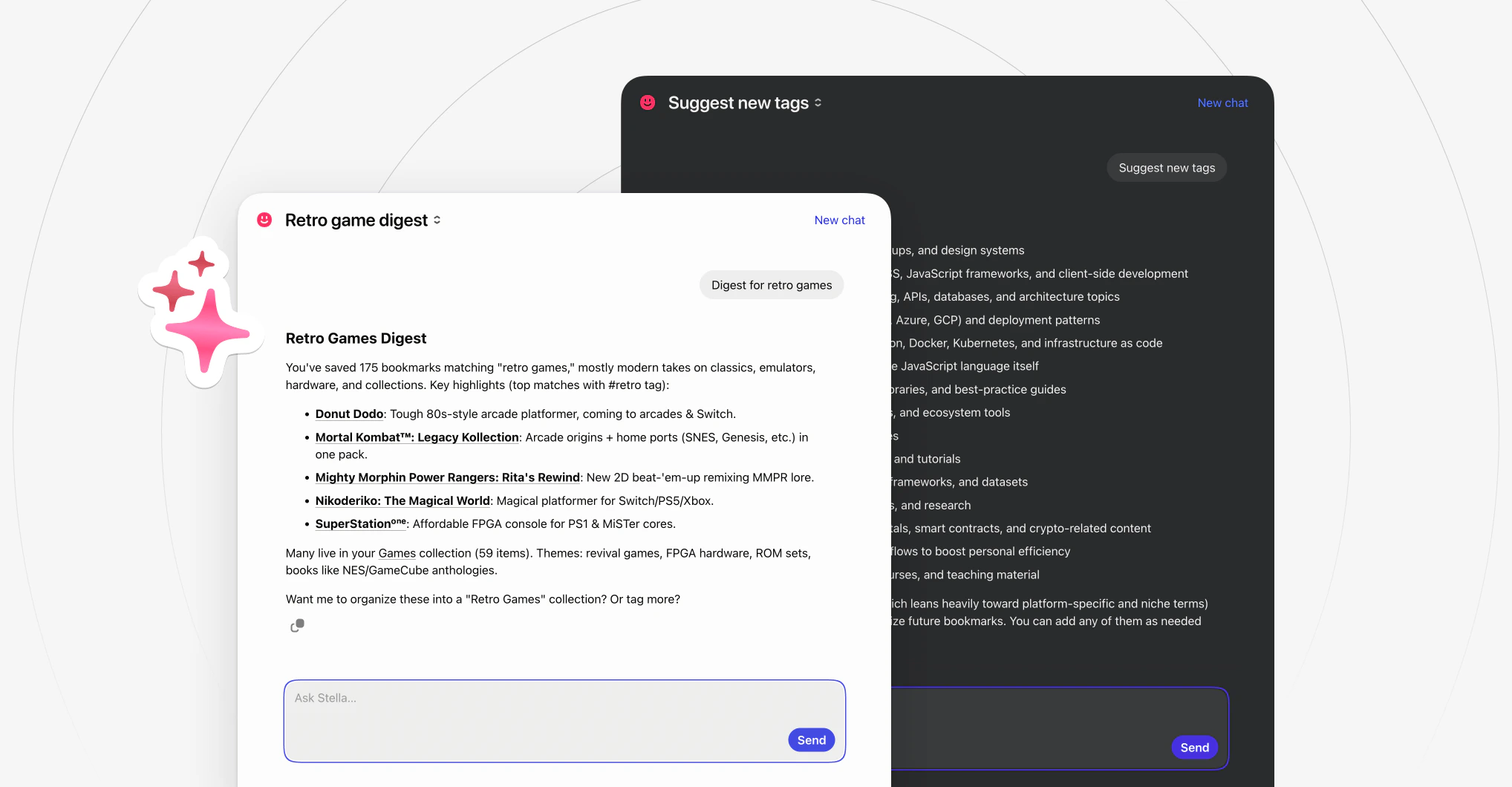
For anything trickier, ask [Stella](/stella) — the built-in AI assistant. Open a chat and describe what you're looking for in your own words — `that article about morning routines`, `the Italian recipe with the weird ingredient`, `travel tips for Tokyo from that blogger`.
**Pro tip**: To search within a specific collection, open it first, then tap the search field.
Results are grouped by type so you can jump to the right one.
For bookmarks, results match against title, description, URL, tags, and notes.
Need to narrow things down? Use [filters](/filters) to refine your results by attributes, date, and more.
## Searching inside content
Search doesn't stop at titles, tags, and notes — it also looks inside the content you saved. Type a phrase you remember reading, and you'll find the bookmark even if those words never appear in the title.
* **Saved web pages** — the full text of the [web archive](/web-archive) copy
* **PDF & EPUB files** — every page of the document
* **YouTube videos** — spoken words from the video transcript
Searching inside web pages, PDF and EPUB files, and YouTube transcripts requires a [Pro plan](/premium-features).
## Matching by meaning
You don't need the exact words. Search also matches by meaning, so a query like `morning routine` can surface a bookmark titled `how I start my day` — even with no shared words.
For anything trickier, ask [Stella](/stella) — the built-in AI assistant. Open a chat and describe what you're looking for in your own words — `that article about morning routines`, `the Italian recipe with the weird ingredient`, `travel tips for Tokyo from that blogger`.
 ## Searching from the browser address bar
You don't even need to open Raindrop.io — search straight from your browser's address bar without leaving the page you're on. Enter `rd` in the address bar, press **Tab**, and type your query.
## Searching from the browser address bar
You don't even need to open Raindrop.io — search straight from your browser's address bar without leaving the page you're on. Enter `rd` in the address bar, press **Tab**, and type your query.
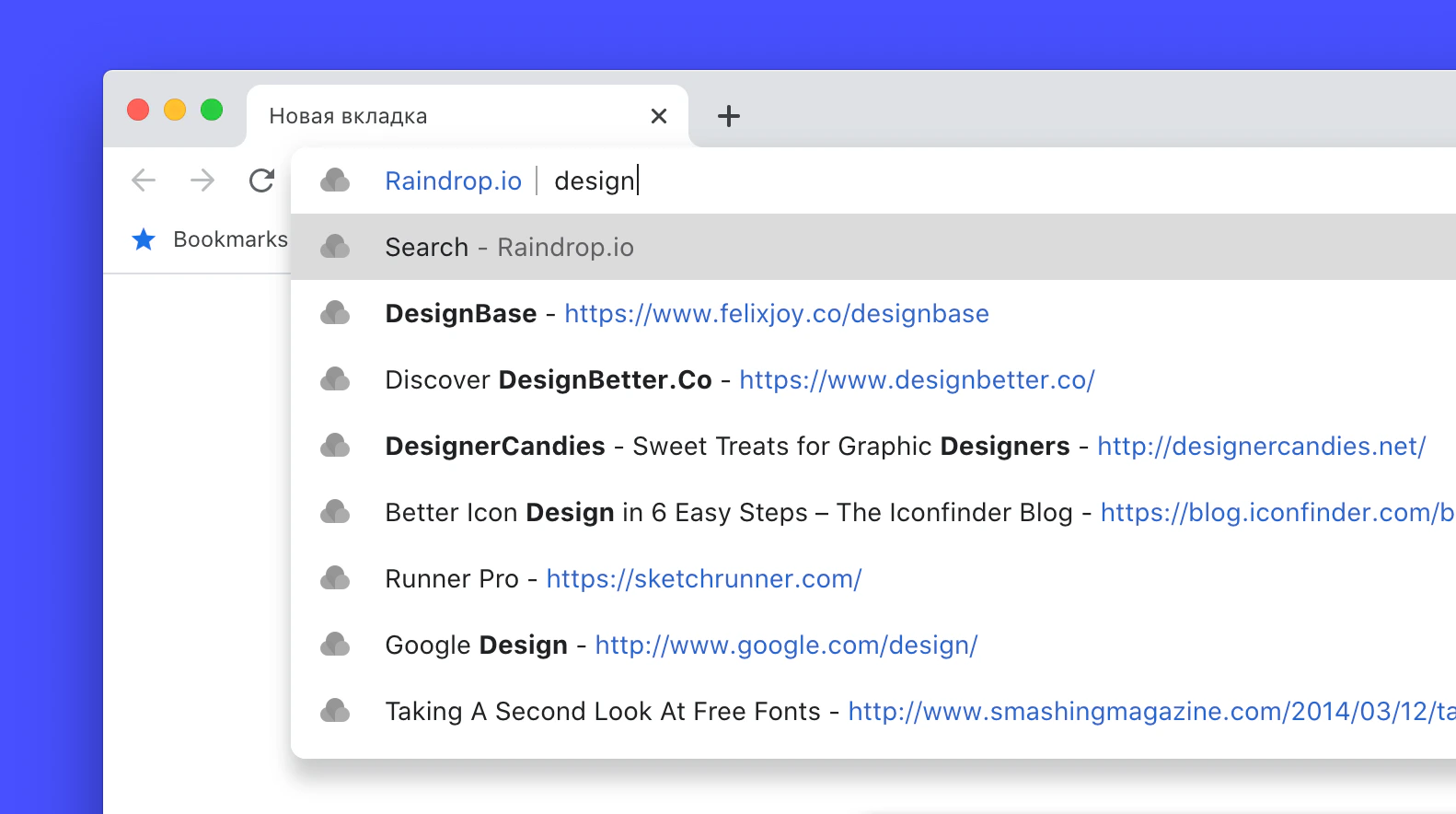 Available in Chrome, Firefox, and Edge with installed [Raindrop.io extension](/install-extension)
## Limitations
* New bookmarks need a few minutes before page content is indexed
* Text inside images is not searchable (no OCR)
## Related
Narrow results by type, tag, date, and operators
Describe what you're looking for in plain language
## FAQ
Yes. Type in the search field while one or more [filters](/filters) are active. The results will match both your search query and every selected filter.
* **Saved it just now?** Title, description, and URL are searchable right away, but page content needs a few minutes to index.
* **Deleted it?** Bookmarks in [Trash](/bookmarks#where-deleted-bookmarks-go) don't appear in search results. Restore the bookmark first.
* **Try asking [Stella](/stella)** — describe what you're looking for in your own words, it's often the fastest way.
* **Can't find text from the page?** Make sure the bookmark has a [web archive](/web-archive) copy — it's required for page content search.
Wrap it in quotes: `"css grid"`. You can also exclude words with a minus sign: `-superman`. See [all available operators](/filters#need-more-precise-filtering) in the Filters article.
Yes. Select **In title/description** from the search field suggestions, or type `info:` before your query.
Available in Chrome, Firefox, and Edge with installed [Raindrop.io extension](/install-extension)
## Limitations
* New bookmarks need a few minutes before page content is indexed
* Text inside images is not searchable (no OCR)
## Related
Narrow results by type, tag, date, and operators
Describe what you're looking for in plain language
## FAQ
Yes. Type in the search field while one or more [filters](/filters) are active. The results will match both your search query and every selected filter.
* **Saved it just now?** Title, description, and URL are searchable right away, but page content needs a few minutes to index.
* **Deleted it?** Bookmarks in [Trash](/bookmarks#where-deleted-bookmarks-go) don't appear in search results. Restore the bookmark first.
* **Try asking [Stella](/stella)** — describe what you're looking for in your own words, it's often the fastest way.
* **Can't find text from the page?** Make sure the bookmark has a [web archive](/web-archive) copy — it's required for page content search.
Wrap it in quotes: `"css grid"`. You can also exclude words with a minus sign: `-superman`. See [all available operators](/filters#need-more-precise-filtering) in the Filters article.
Yes. Select **In title/description** from the search field suggestions, or type `info:` before your query.